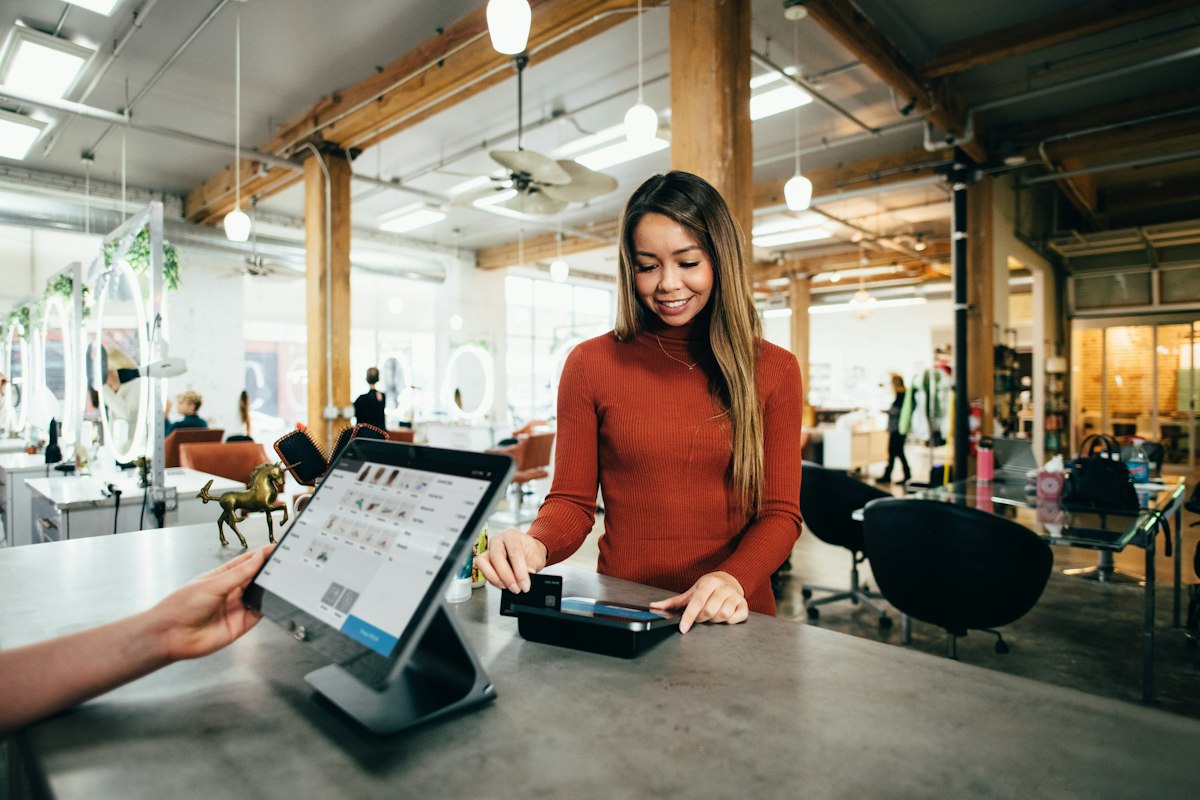

The retail sector in Gujranwala is experiencing a rapid digital transformation, moving away from manual ledger registers toward automated POS software Gujranwala systems. From bustling wholesale hubs like Bazar Kharadan to modern shopping centers on GT Road, retail shop owners are realizing that manual inventory tracking and slow checkout lines hurt profitability. In today's competitive environment, adopting a reliable point of sale system is no longer a luxury but an absolute operational necessity. By implementing a modern system tailored to the local Pakistani market, retail businesses can streamline daily processes, prevent cash leakage, and provide a superior customer shopping experience.
Managing a shop with paper diaries or outdated spreadsheets exposes your business to numerous human errors, stock discrepancies, and lost sales. As customer footfall increases in areas like Satellite Town and Model Town, the speed of service becomes a key factor in customer retention. A localized point of sale system solves these operational challenges by automating the checkout flow, updating inventory instantly with every sale, and generating reports that help shop owners understand their profit margins and growth trends.
Why Choose Custom POS software Gujranwala Over Generic Alternatives
When local shopkeepers decide to upgrade, they are often tempted to purchase generic, pre-packaged software. While these systems appear cheap upfront, they fail to meet the unique operational challenges of Software Development in Pakistan. Generic software is designed for western markets and lacks critical features required by Pakistani merchants, such as traditional credit accounts (known locally as the 'khata' system), multi-currency wholesale purchases, and localized tax formats. A custom-built system, on the other hand, is built around your specific workflow, ensuring you do not have to change how you do business.
Furthermore, generic software often relies on a continuous high-speed internet connection. In Gujranwala, electricity load shedding and internet downtime are common occurrences. If your billing software freezes the moment the internet disconnects, your business will suffer immediate financial losses. A custom software solution provides offline-first capability, allowing cashiers to continue scanning items and printing receipts without interruption. Once the network is restored, the local database automatically syncs the offline transactions with your cloud database, keeping your multi-branch operations aligned.
Essential Business Requirements for Gujranwala Shopkeepers
Before purchasing any software, retail owners must identify their core business requirements to ensure the solution delivers a high return on investment. The first major requirement is real-time inventory synchronization. For shops with multiple storage godowns or branches across Gujranwala, knowing exactly where stock is located prevents over-purchasing and stockouts. When stock drops below a certain threshold, the system should automatically generate a low-stock alert, enabling shop managers to reorder products from wholesalers before they run out.
Tax compliance is also a non-negotiable requirement for modern retail setups. The Federal Board of Revenue (FBR) has mandated Tier-1 retailers to integrate their invoice printing systems with the central tax database. A localized point of sale system has the built-in capability to generate FBR-compliant invoices with unique QR codes, ensuring your business stays compliant and avoids heavy fines. Additionally, the software should automatically calculate regional sales tax rates, making monthly tax filing straightforward for your accountants.
Hardware Integrations for Your POS software Gujranwala Setup
A retail software program is only as good as the hardware it connects to. To create a seamless checkout experience, your system must integrate with various hardware peripherals. The barcode scanner is the most critical device, allowing cashiers to scan product UPC codes in milliseconds, instantly pulling description and pricing details into the active invoice. For clothing boutiques and cosmetics shops that sell items without manufacturer barcodes, the software should generate and print custom barcode labels using standard thermal label printers.
Receipt printing is another essential element of hardware integration. Most retail shops use 80mm or 58mm thermal receipt printers because they require no ink cartridges and print invoices at high speeds. Your software must be configured to format receipt data precisely, preventing cut-off text or misaligned columns. The system should also trigger the cash drawer to slide open automatically only when a cash sale is finalized or a receipt is printed, protecting cash from unauthorized access and improving cashier accountability. For a complete system walkthrough, check out our comprehensive POS software Gujranwala guide.
Optimizing Checkout Speed and Cashier User Experience
The success of any point of sale implementation depends on how easily your staff can use it. Cashiers work under high pressure during peak hours, and a complicated system will lead to errors, frustration, and long lines. The user interface must be clean, minimal, and optimized for speed. Large touch-friendly buttons, clear text, and logical layouts help cashiers process orders with minimal cognitive effort. The layout should put frequently sold items, quick discount options, and payment buttons within easy reach.
Keyboard shortcuts are crucial for high-speed retail checkout. Cashiers should be able to complete a sale using only the keyboard, avoiding the time-consuming process of moving a mouse. For example, pressing F5 can open the cash settlement modal, F2 can focus the search bar, and Esc can void the current transaction. This simple user experience feature can cut transaction processing time in half, allowing your staff to serve twice as many customers during busy holiday shopping seasons or weekend rushes.
How to Select the Perfect Retail Solution for Your Shop
Selecting the right point of sale solution requires a careful analysis of your business size, budget, and long-term goals. Start by identifying the specific requirements of your retail niche. A grocery store needs batch number tracking and expiry date alerts, while an apparel shop requires a product matrix that manages items by size, color, and design. Avoid purchasing generic systems that try to fit every business type, as you will end up paying for features you do not need while missing the tools essential to your daily operations.
Finally, look at the vendor's reputation, support policies, and track record. Working with a dedicated software developer ensures that your system receives regular security updates, bug fixes, and custom feature additions as your business grows. Mian Adil offers specialized custom development services that focus on building high-performance, tailored retail databases and web applications for businesses in Pakistan. Investing in a tailored system ensures your database architecture is secure, responsive, and fully aligned with your business vision. Discover more about our approach and expertise on the About Mian Adil page.
POS software Gujranwala tips for a Successful System Launch
Launching a new POS software Gujranwala tips is an exciting step, but it requires careful preparation to prevent operational chaos. The first tip is to clean and prepare your inventory data in a structured format before importing it into the system. Gather all your products, purchase costs, retail prices, and barcode numbers in an Excel spreadsheet. Importing a clean Excel sheet is much faster than entering thousands of products manually one by one, allowing you to go live days ahead of schedule.
Before turning off your old manual ledger, run both the old and new systems in parallel for a dual-running period of at least one week. This strategy allows you to verify that the sales figures, inventory levels, and cash drawer calculations in the new POS match your manual records exactly. If any discrepancies or bugs arise during this trial period, your cashiers can fall back on the manual system while the developer resolves the software issues without halting your business.
Frequently Asked Questions
❓ What is the cost of implementing custom POS software Gujranwala?
The cost of a custom POS software Gujranwala setup depends on your business requirements, the number of billing counters, and whether you need cloud database syncing. A custom system has a higher upfront cost than cheap generic templates, but it saves money in the long run by eliminating monthly subscription fees, reducing stock leakage, and offering lifetime offline reliability.
❓ Can the retail system work without an internet connection?
Yes, a custom offline-first POS system is built specifically to handle internet outages and load shedding. The billing screen stores all transaction records in a secure local database. Once the internet connection is restored, the local database automatically synchronizes all offline sales data with the cloud server without cashier intervention.
❓ Is custom POS software compatible with FBR's electronic fiscal devices?
Yes, custom POS systems can be integrated with the Federal Board of Revenue (FBR) systems. A custom system can connect directly to the FBR API endpoints, allowing Tier-1 retailers in Pakistan to print compliant invoices with FBR invoice numbers and unique QR codes, ensuring complete legal tax compliance.
❓ How does a custom POS system handle credit sales (khata)?
A custom POS system includes a built-in credit ledger (khata management) module. Cashiers can select a registered customer at checkout and charge the transaction to their credit balance. The system updates the customer's ledger, tracks outstanding balances, sets maximum credit limits, and can send automated SMS invoice alerts to the customer.
❓ What hardware do I need to buy for a standard retail shop setup?
A standard retail billing setup requires a desktop computer or tablet running the POS software, a barcode scanner for product entry, a thermal receipt printer (usually 80mm or 58mm) for invoices, and a secure electronic cash drawer that opens automatically when a sale is finalized.
Partner with Mian Adil for Custom Software Development in Pakistan
Transitioning to automated retail management requires a software partner who understands the local business landscape, database architectures, and user experience. Whether you want to build a custom point-of-sale system, sync a web application with your physical store inventory, or upgrade your retail operations, custom development ensures your business runs smoothly. Mian Adil provides premium, localized software solutions designed to help retail merchants drive efficiency, prevent cash leaks, and scale effortlessly.
Ready to transform your retail operations and implement a reliable system for your shop? Contact us today to discuss your business requirements, hardware choices, and custom software features. Let's build a solution that empowers your retail store to thrive in the modern economy. Get in touch with us through the Mian Adil Contact Page to request a free consultation.
Turn These Insights Into Results
Choose the most relevant next step for your website or online business.
- E-Commerce Website Development Launch a fast, secure online store designed for sales and growth.
- Get a Free E-Commerce SEO Audit Check search visibility, speed, and conversion-critical website issues.
- Explore Mian Adil’s Portfolio See web development, SEO, e-commerce, and SaaS work in one place.